
Technology
Got the new iPhone? Here’s how to use Live Photos feature

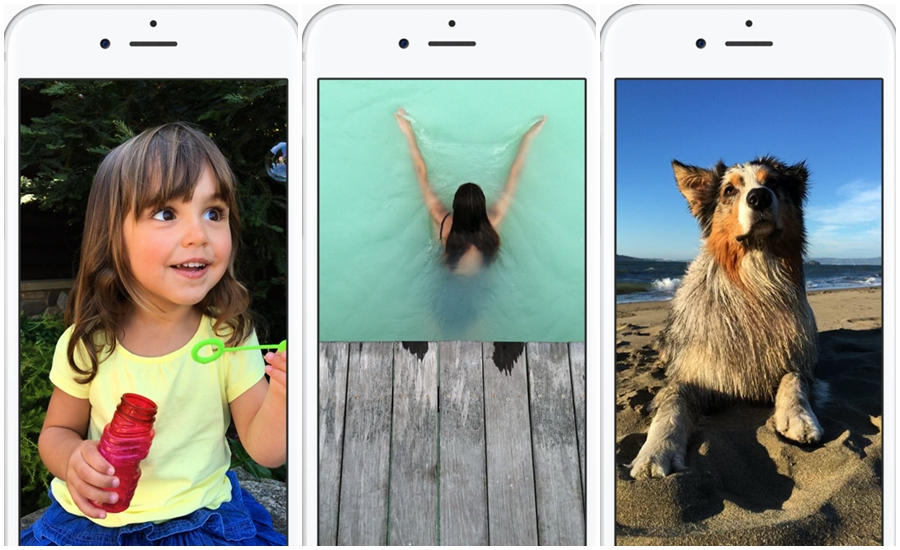
(Screengrab from Apple’s website)
NEW YORK – If you’re getting one of the new iPhones, you’ll be able to turn still images into video.
The iPhone 6s and 6s Plus, which started shipping Friday in the U.S. and other markets, automatically take three-second videos to accompany your regular shots, including selfies.
Imagine snapping a shot of your kid blowing out birthday candles – and getting video showing the flame going out as everyone sings “Happy Birthday.” Yes, sound is included. You can also enhance shots of your pets and landscapes, such as a waterfall.
You need one of the 6s models to capture these “Live Photos,” but older phones are fine for viewing.
This feature takes practice, so check out these tips:
Taking the shot
When you open the camera app, the iPhone continually records video in the background, though it’s immediately discarded if you do nothing. When you snap a shot, the phone saves a second and a half of video leading to that shot and continues recording until you get three seconds in all.
Wait a few seconds before snapping your shot so that the video won’t show you moving the phone into position.
Likewise, resist dropping your camera right after taking the shot. The phone will detect that movement with an upcoming software update, so it can stop the video automatically. For now, wait for a yellow “LIVE” box on the screen to disappear before moving.
Ask your subjects to hold their pose longer. If they start moving or talking, the video will show that. The video will show your flash firing if you use it, so natural lighting is better.
The still shot is the key part of Live Photos, and video merely enhances that. Pay attention to perfecting that still shot in terms of focus, lighting and composition. You don’t need to wait for the video recording to finish before snapping another shot. Just keep snapping, as you’d normally do, and the phone will create overlapping three-second videos automatically.
Viewing and sharing
To view a Live Photo on your phone, tap and hold the image in the Photos app. On the Apple Watch, you can view it in its Photos app or as part of a custom watch face with that image. On Mac computers, go to the Photos app and move your cursor over the “LIVE” box on the lower left corner. Your devices need the latest system software – iOS 9 on iPhones and iPads, watchOS 2 on Apple Watch and El Capitan on the Mac. The Mac update is coming soon.
Share Live Photos with family and friends through the Messages app – as long as they have an Apple device with the latest system. Otherwise, they’ll just get the still image.
Make sure the message is sent as an iMessage, which will appear blue. If it’s green, it is a standard text message and won’t have video. You can also share these through the phone’s iCloud Photo Sharing and AirDrop features, but not as email. Apple is letting other services such as Facebook create tools for sharing and viewing as well.
Because Live Photos include audio, don’t share with someone you’ve just gossiped about.
Photo management
The video part gets turned off when you edit photos. You can get it back, but you then lose your changes. Make a copy to edit by sending the Live Photo to yourself using iMessage. Just send it to your Apple ID email address rather than your phone number.
You can export Live Photos to Mac and Windows computers and find video files that work with most video programs.
Quality is lower than usual to save storage. Plus, Apple hides these files under normal use, so this is mostly for advanced users.
Each Live Photo takes up about twice the storage of a regular photo. You can’t delete just the video part, but you can disable video recording by tapping a yellow circle on the screen. Apple’s iCloud Photo Library service might free up some storage on your phone, but you might be better off buying a phone with more storage to begin with.